
Built-in rooms
The Usage, Git, Agents, Focus, Clipboard, Pet, Snippets, Monitor, Weather, Tech News, Stocks and Lo-fi tabs that sit before your chat rooms.
Tabs that sit before your chat rooms. They need no server and no sign-in, and nothing in them reaches a chat room unless you share it.
| Room | Shows | Tab |
|---|---|---|
| ◔ Usage | Context, rate limits, spend, tool timings | on |
| ⎇ Git | Your branch, its PR and checks, Actions | on |
| ⟡ Agents | Every Claude Code session and its subagents | on |
| ◷ Focus | A Pomodoro timer with a streak | on |
| ✿ Pet | Clawd, moving along with your session | on |
| ⌘ Snippets | Code you reuse, one click from the clipboard | on |
| ▦ Monitor | CPU, memory, network, battery | on |
| ⧉ Clipboard | What you copied lately | /chat rooms +clipboard |
| ☀ Weather | Now, 24 hours and the week | /chat rooms +weather |
| ✦ Tech News | Hacker News and tech feeds | /chat rooms +news |
| $ Stocks | Taiwan and US quotes | /chat rooms +stock |
| ♫ Lo-fi | Music while you work | /chat rooms +lofi |
Open one with its tab, or /chat <room> (/chat usage, /chat stock). The last five reach the web or your clipboard, so they wait until you add them. On the desktop app, + in the header adds one too.
◔ Usage
Section titled “◔ Usage”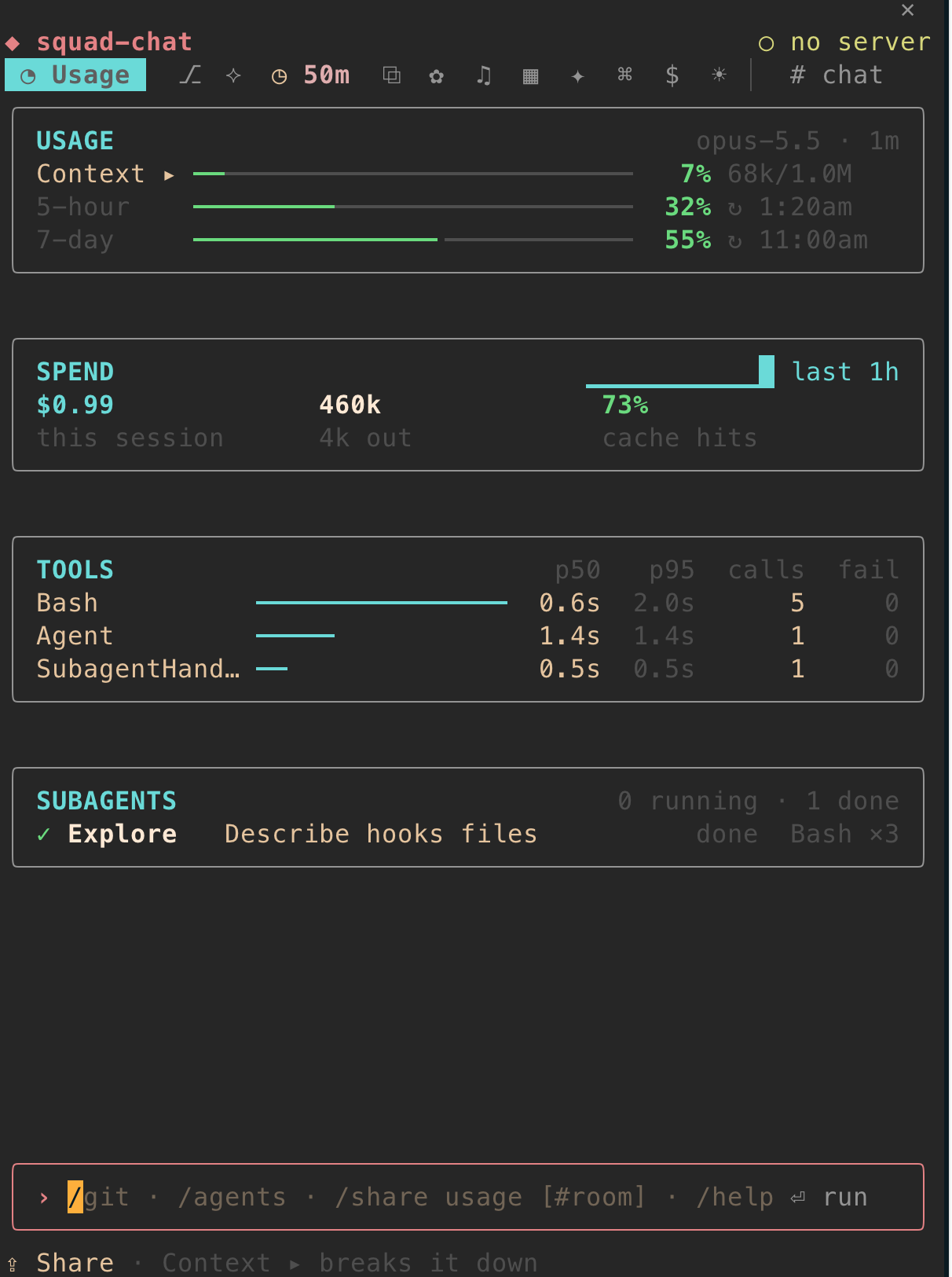
How this session uses Claude, live.
- Context, 5-hour, 7-day: how full each is, and when it resets.
- Spend: cost, the rate per hour, tokens and the cache.
- Tools and subagents: each tool’s p50, p95 and failures, and what each subagent does.
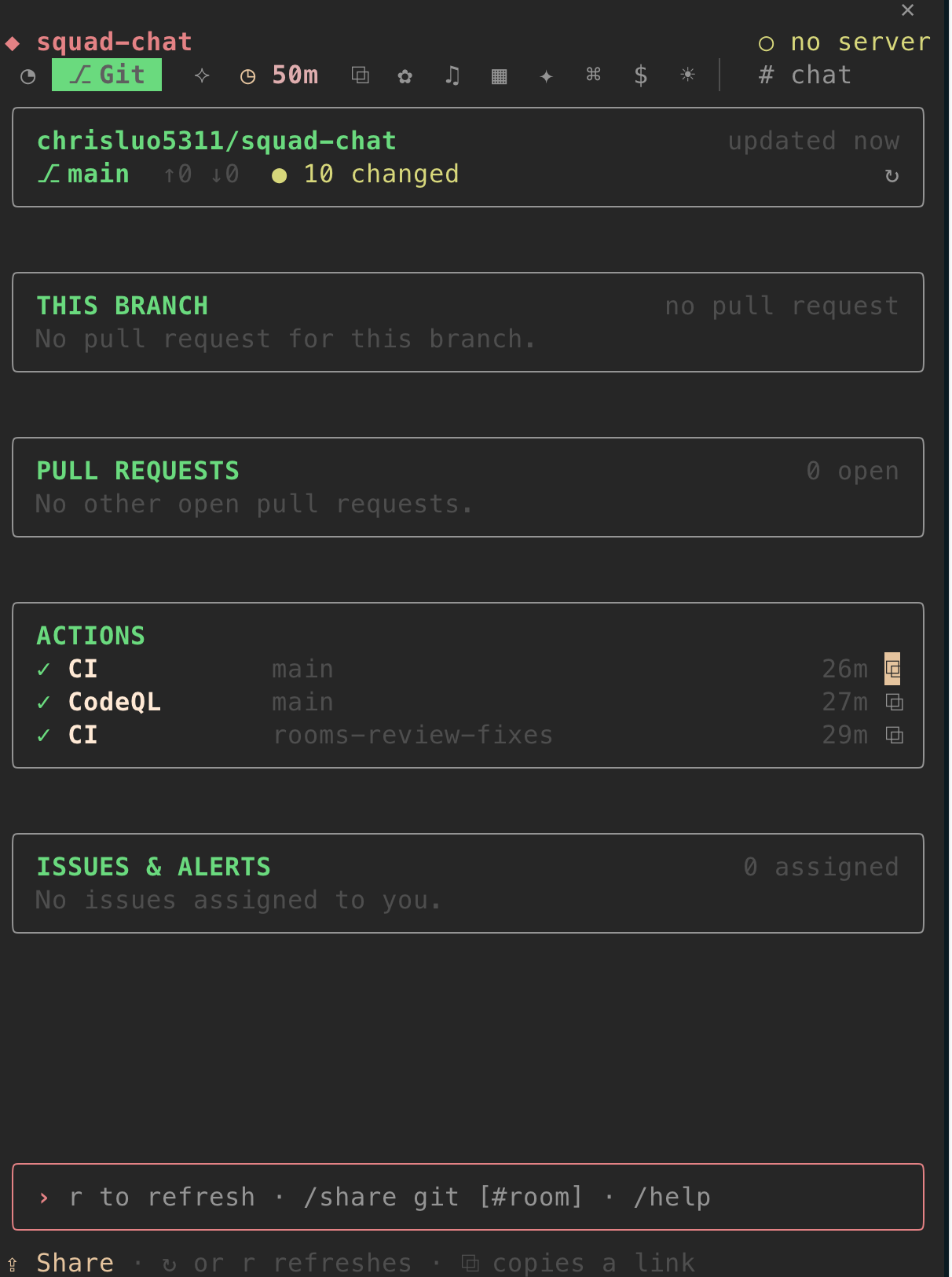
Where your branch stands on GitHub, through the gh CLI.
- Branch: ahead and behind, files changed, and a commit graph on the desktop.
- This PR: checks as they run, reviews, whether it can merge.
- Toasts when checks fail or pass, or a review comes in.
rrefreshes.
⟡ Agents
Section titled “⟡ Agents”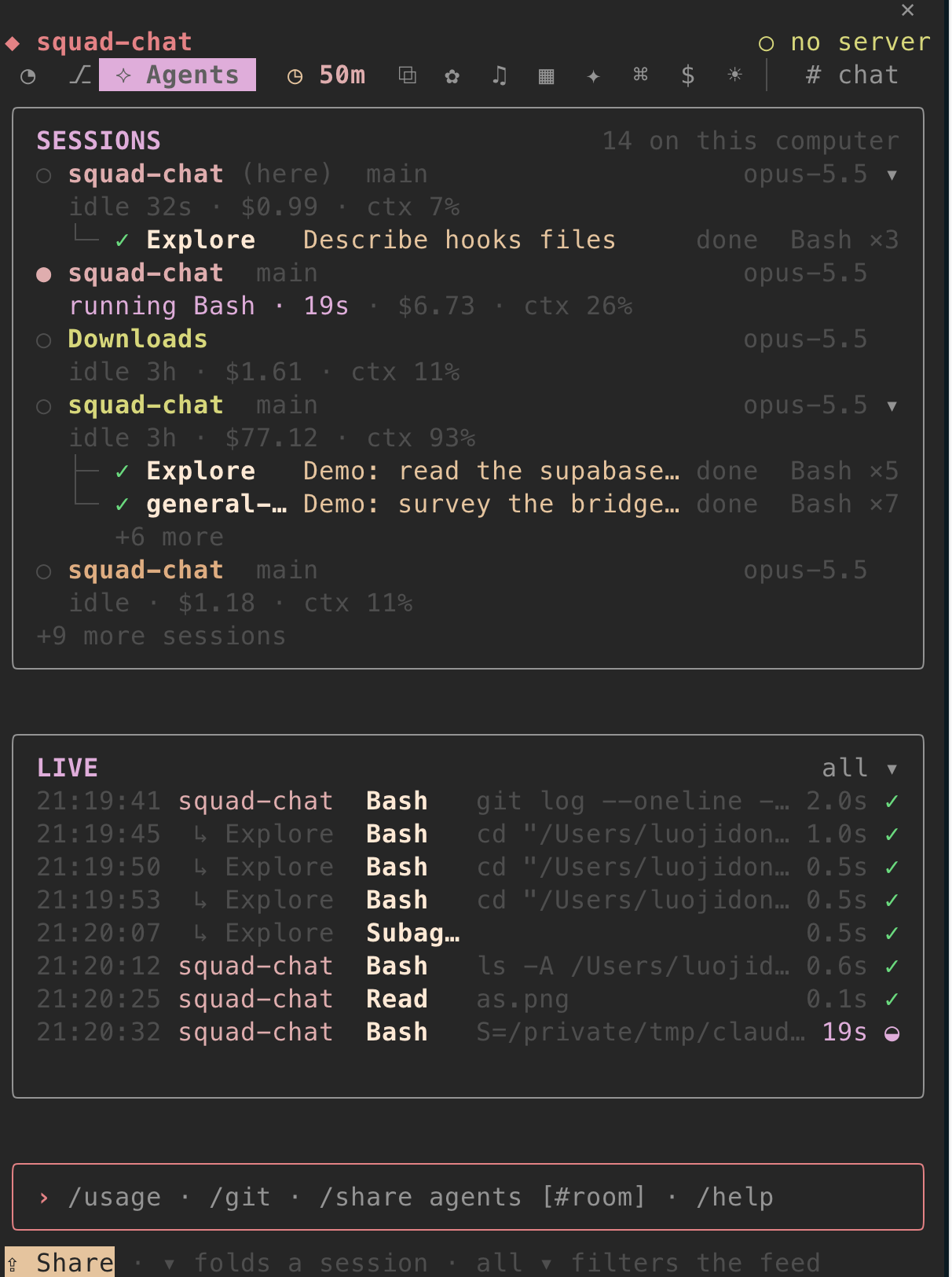
Every Claude Code session on this computer.
- Sessions: folder, branch, model, and what each is doing now.
- Subagents as a tree under the session that started them.
- Live feed of tool calls from all of them.
◷ Focus
Section titled “◷ Focus”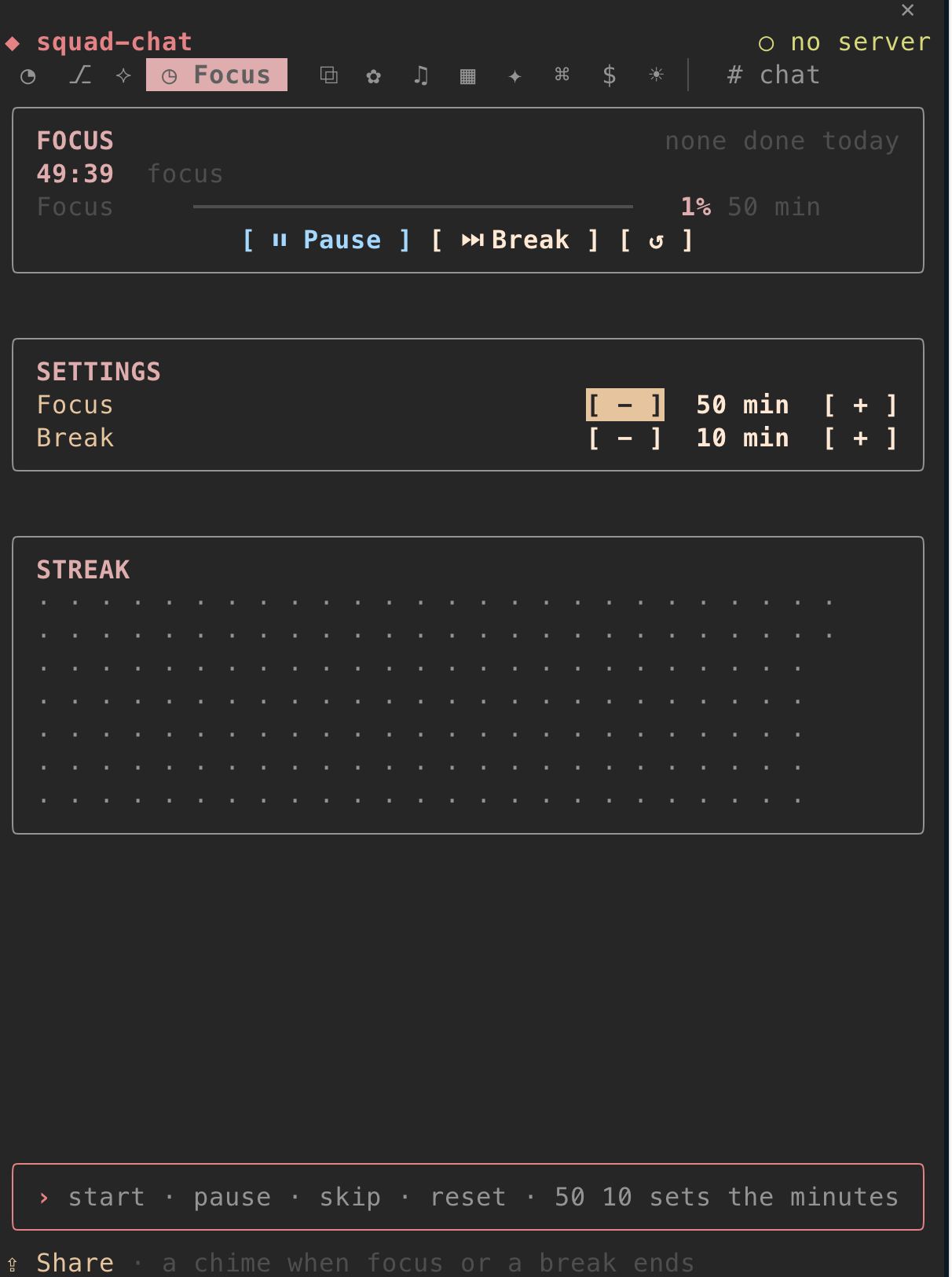
A Pomodoro timer.
- ▶ Start, ⏸, ⏭ and ↺, with a chime at each end. Type
50 10(or/focus 50 10) for your lengths. - A streak of the days you finished a round, drawn like GitHub’s.
🍅 18:42in the status line while it runs.
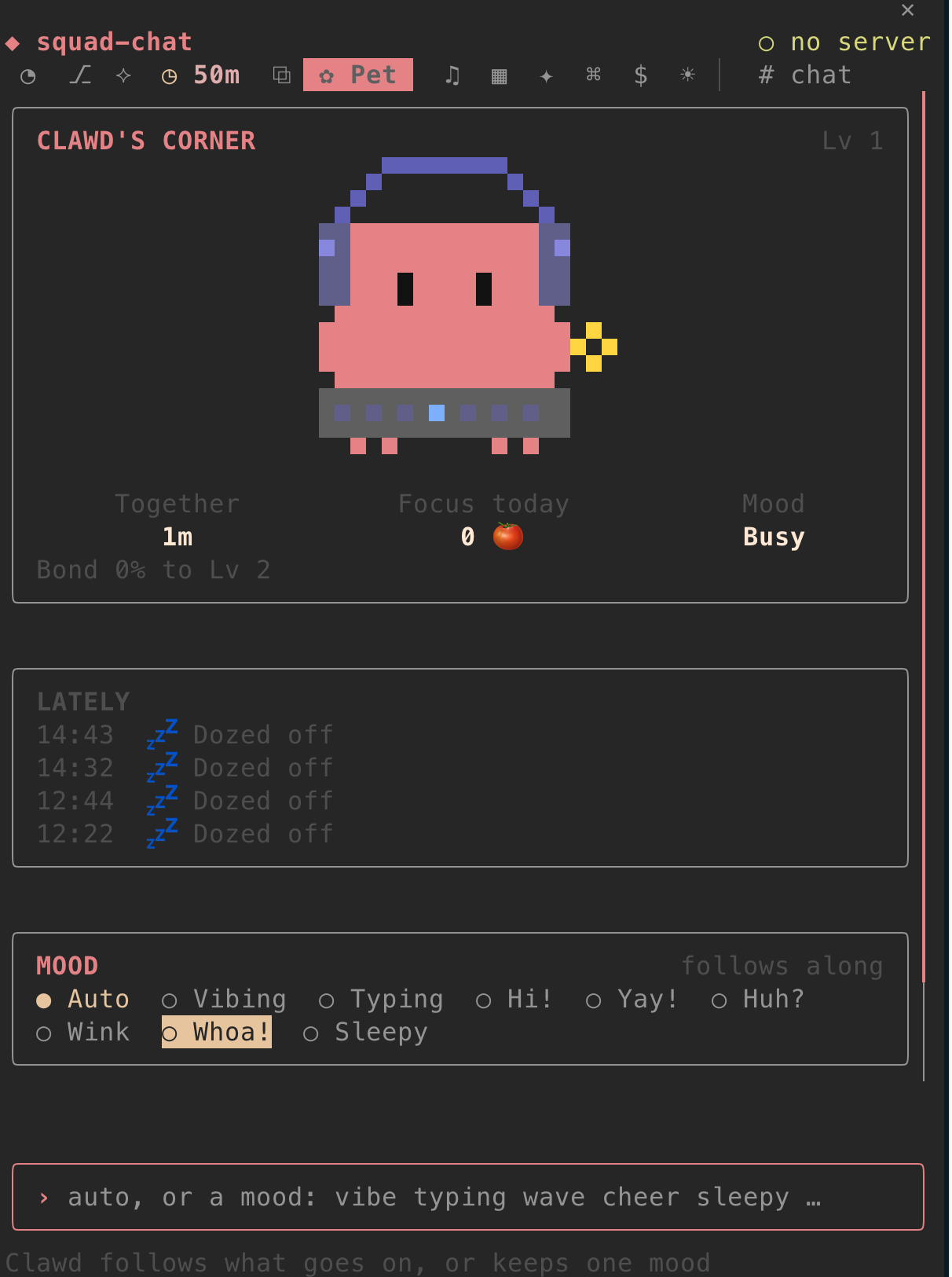
Clawd’s corner. Its mood follows the session: typing while Claude works, cheering a finished round, asleep after a quiet while.
- Today together and a bond that levels up.
- Lately: what Clawd noticed (never what anyone wrote).
- By the input box: Clawd strolls, stops and goes, sits, or stays off.
⌘ Snippets
Section titled “⌘ Snippets”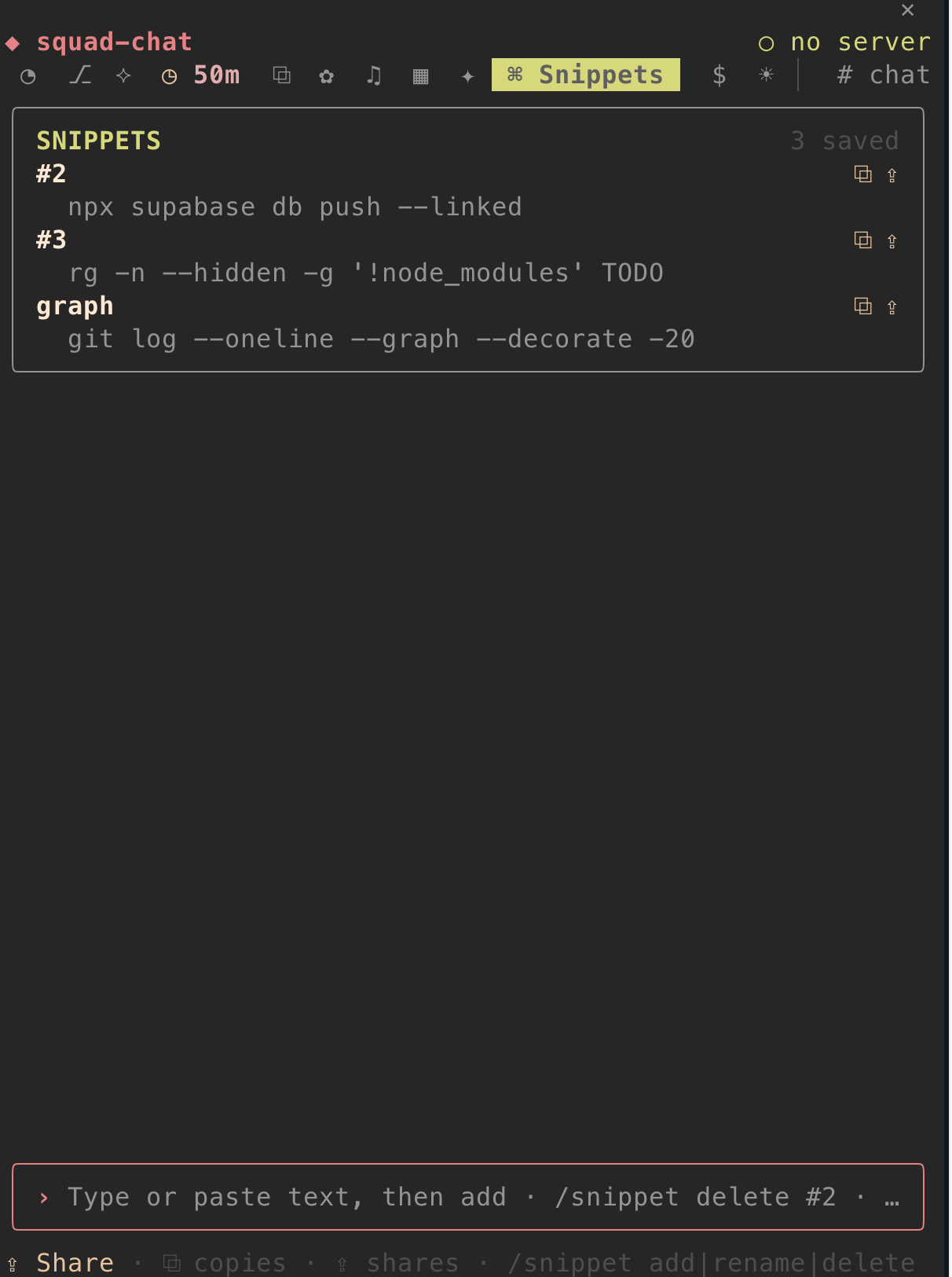
Code you reach for again and again.
/snippet addsaves your selection, or Claude’s last code block./snippet add <text>saves text.- ⧉ copies, ⇪ shares to a chat room.
- Kept in
~/.config/squad-chat/room-data/snippet/list.json, readable only by you.
▦ Monitor
Section titled “▦ Monitor”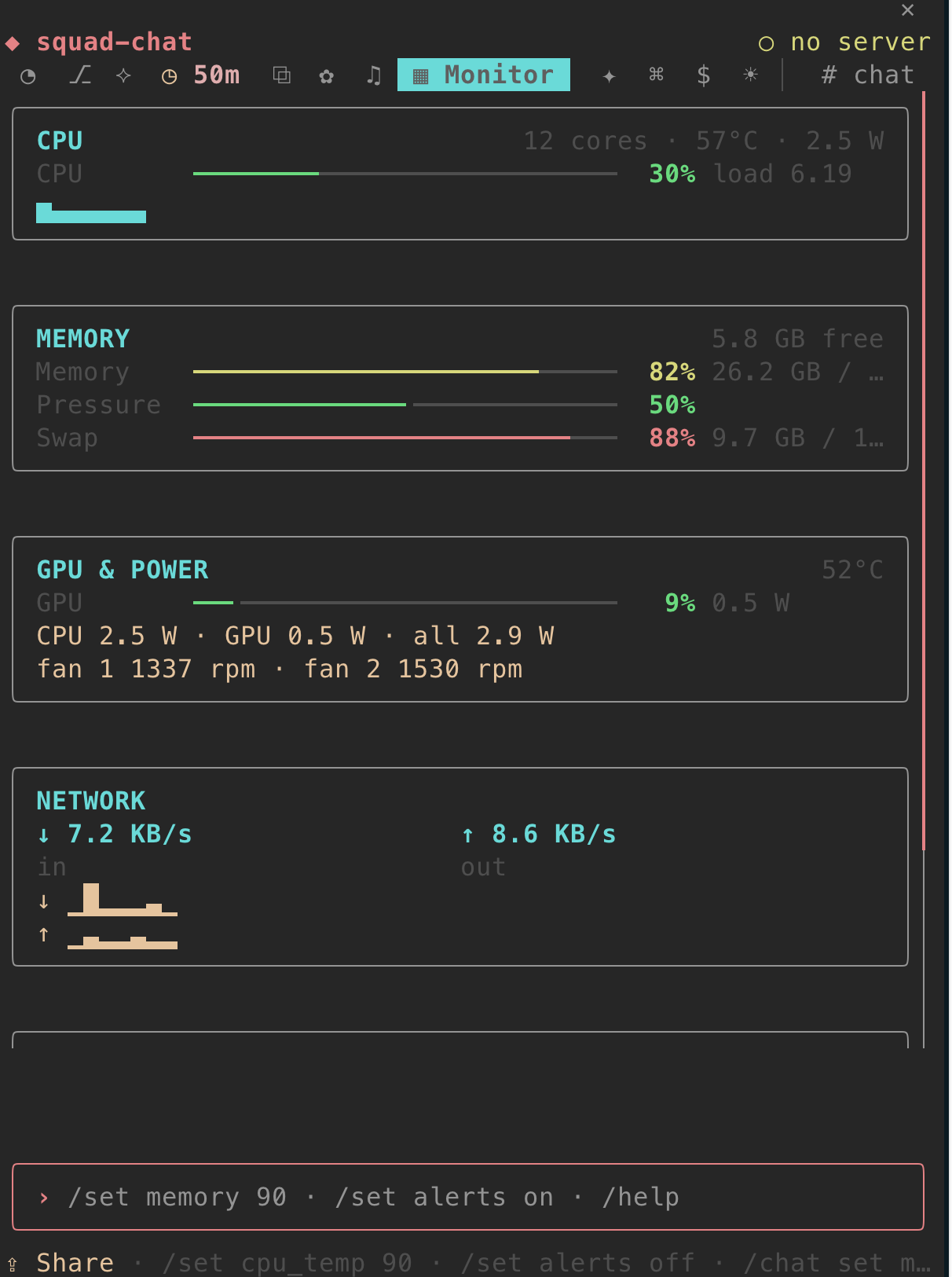
This computer as it runs, with no sudo: CPU, memory, GPU, network, disk and battery. Temperatures and power need macmon on a Mac (brew install macmon). It toasts when something runs hot or nearly full. /chat set monitor alerts off stops that.
⧉ Clipboard
Section titled “⧉ Clipboard”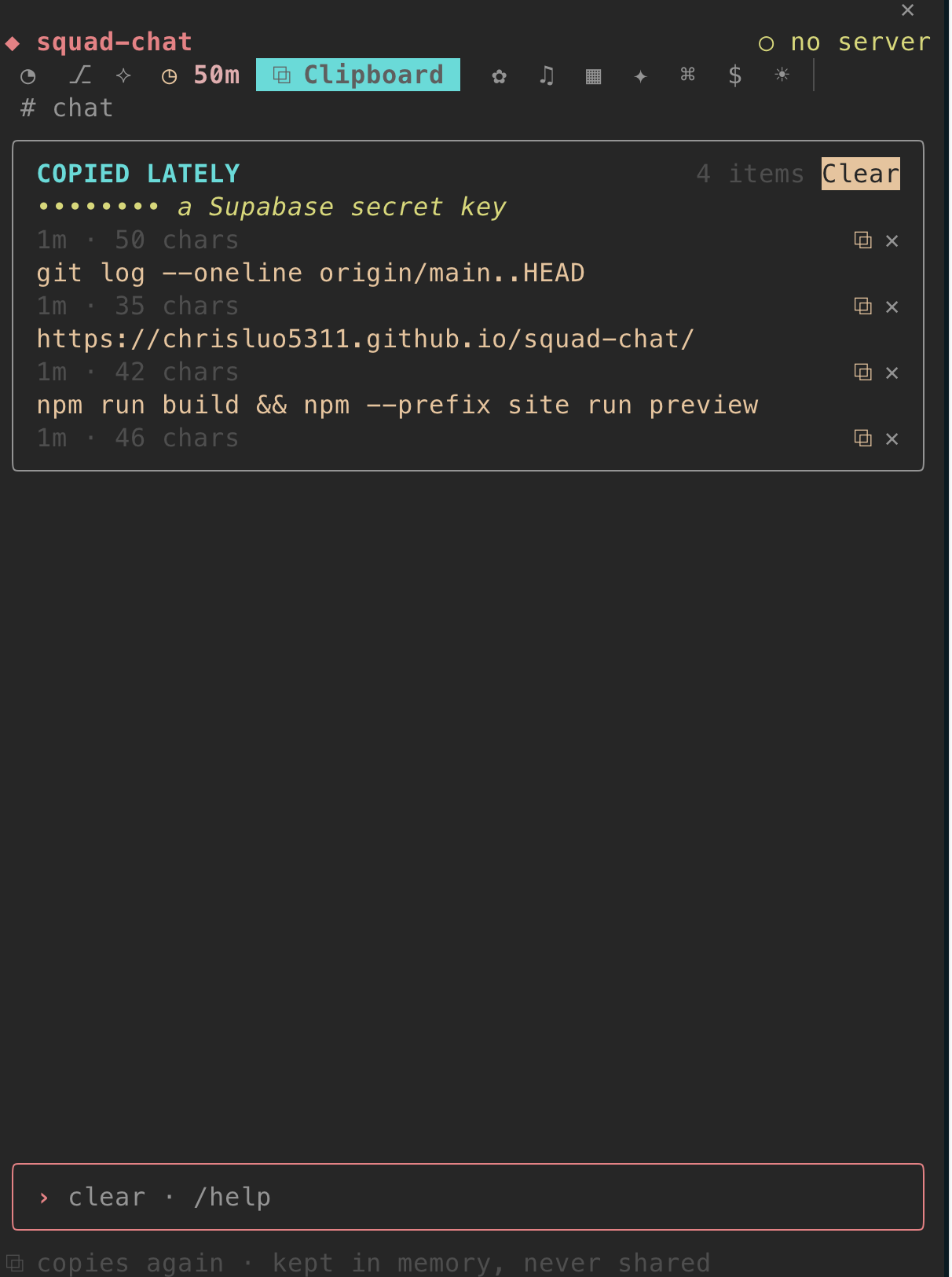
The last 30 things you copied, to copy again. Kept in memory only, gone when the session ends. Anything that looks like a key shows masked, and nothing here can be shared.
☀ Weather
Section titled “☀ Weather”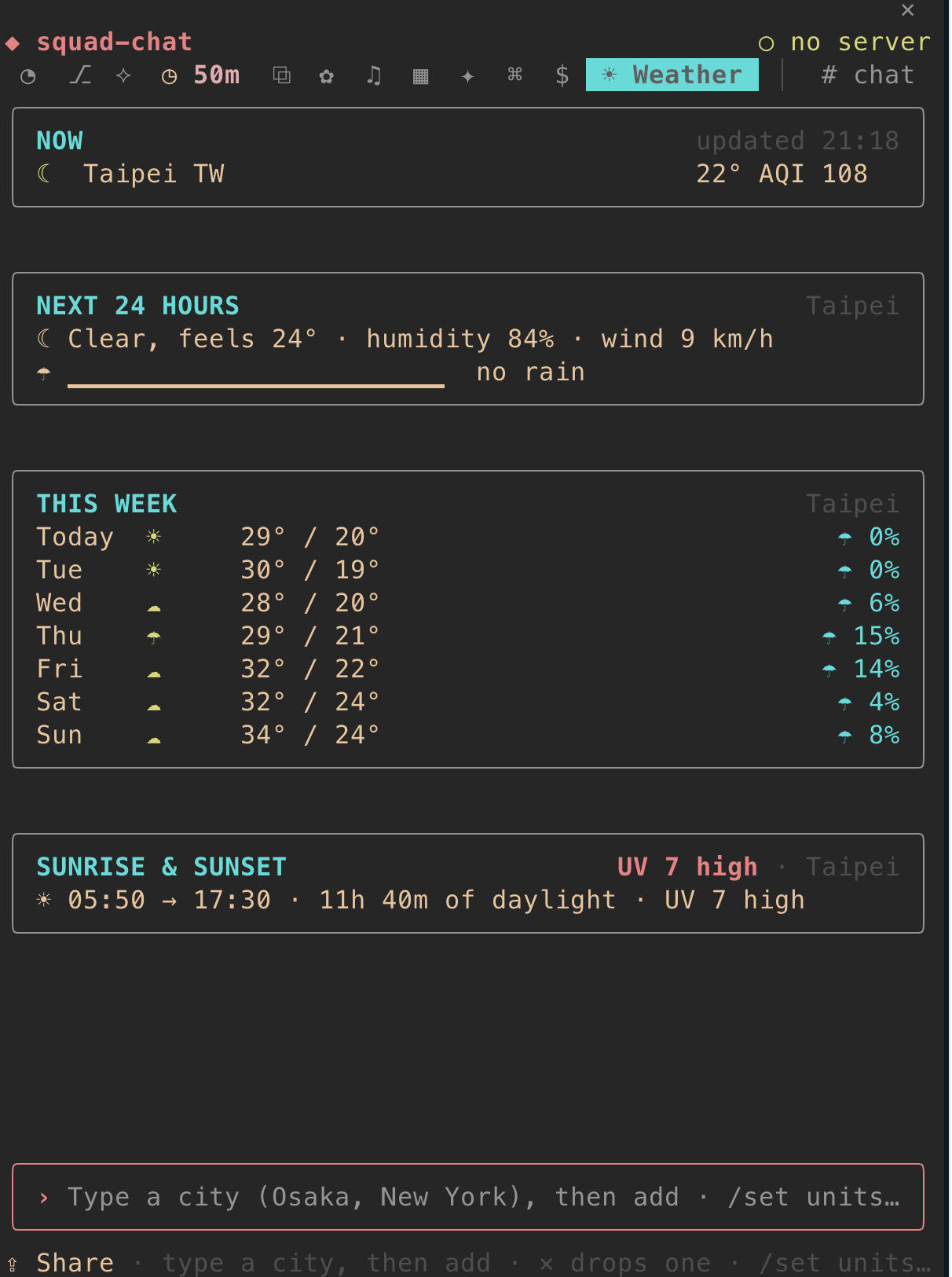
Your cities from Open-Meteo, no key: now, the next 24 hours, the week, sunrise and sunset. Type a city in the room’s box to add it, ✕ drops one. /chat set weather units imperial switches units.
✦ Tech News
Section titled “✦ Tech News”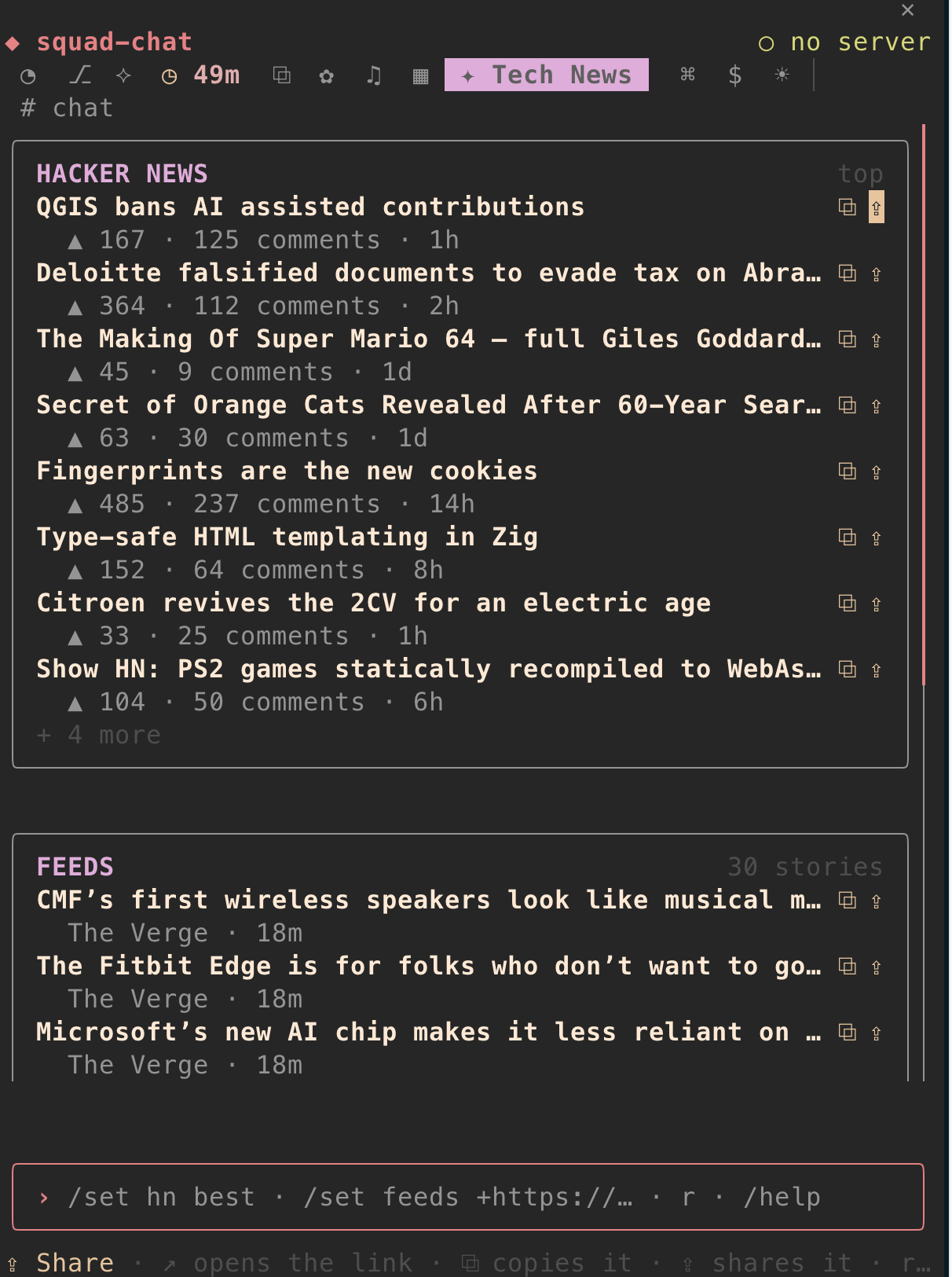
Hacker News and tech feeds, newest first. ⧉ copies a link, ⇪ shares it. /chat set news hn best picks the list.
$ Stocks
Section titled “$ Stocks”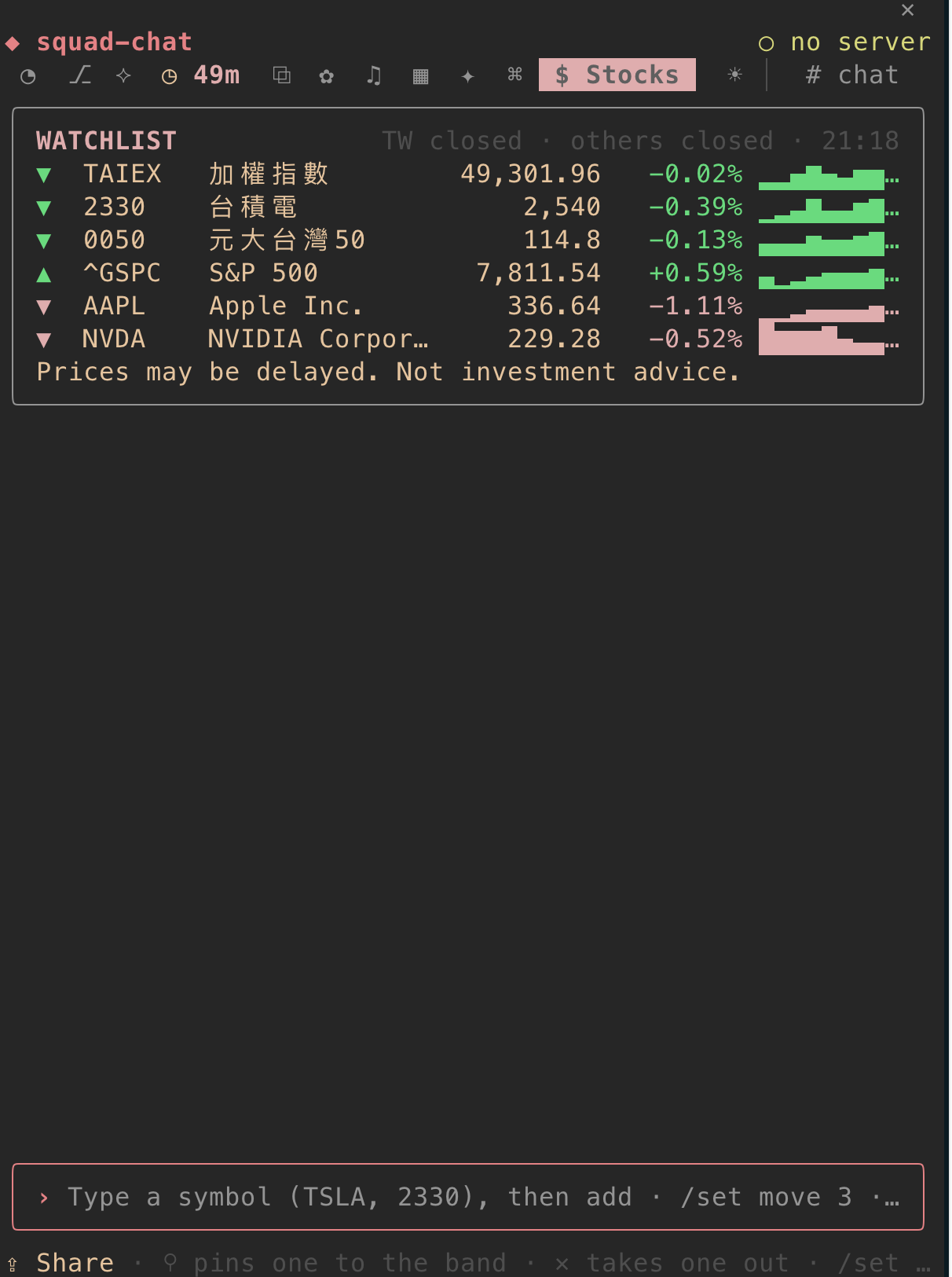
A watchlist of Taiwan and US stocks, each with today’s line. Set it with /chat set stock watchlist TAIEX, 2330, AAPL (up to 12). Prices may be delayed, and none of it is investment advice.
♫ Lo-fi
Section titled “♫ Lo-fi”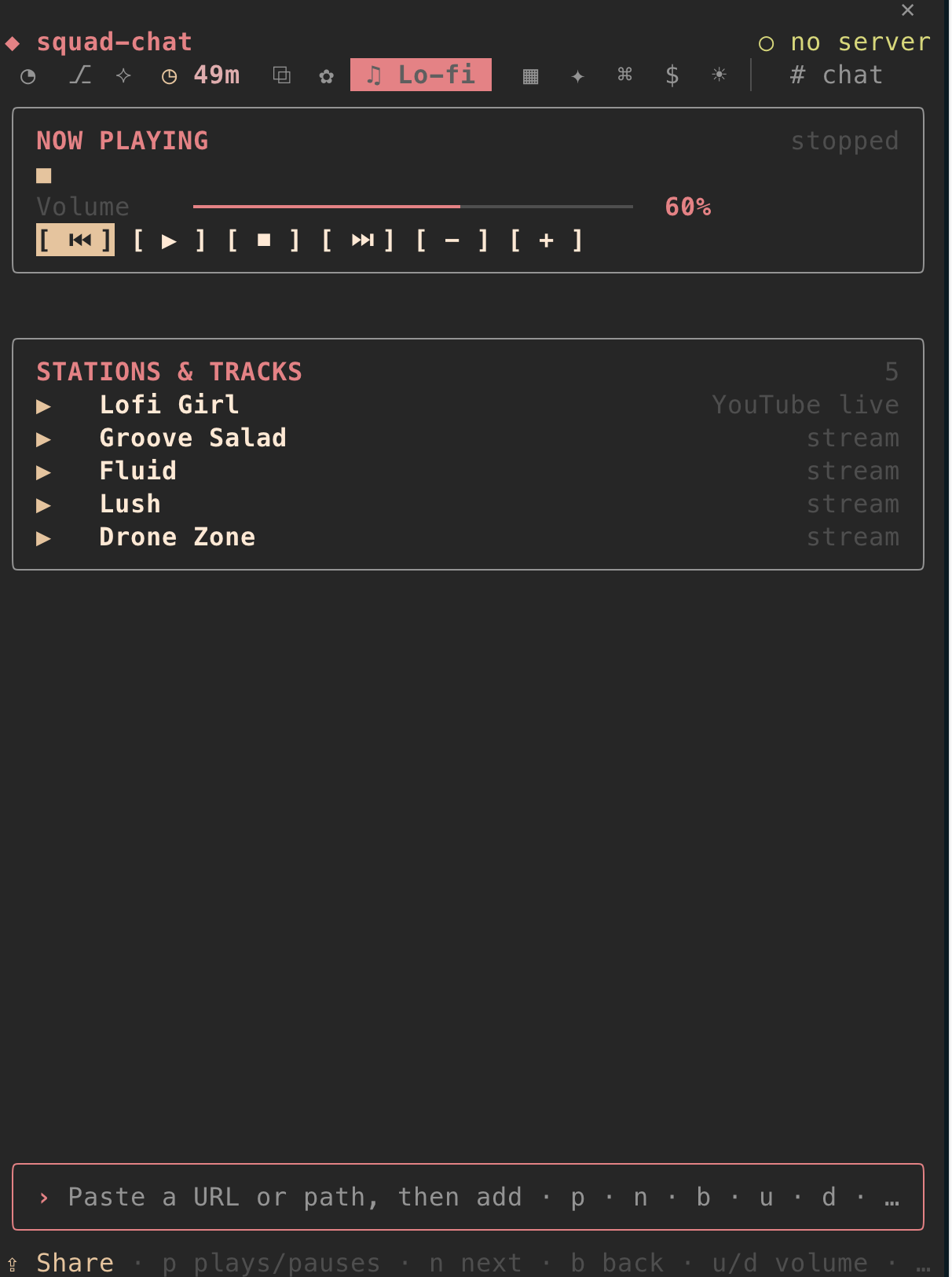
Lofi Girl and SomaFM through mpv and yt-dlp (brew install mpv yt-dlp). Paste a link or a folder into the box to add your own. p plays or pauses, n skips. Nothing plays until you press play.
More rooms, sharing, hiding
Section titled “More rooms, sharing, hiding”- The room store:
/chat storelists rooms anyone wrote,/chat install <id>adds one. A room is one JSON file, so installing one never runs code. - Share a snapshot: ⇪ Share under a room, or
/chat-share usage #room, posts it as a card after a preview. - Pick your tabs:
/chat rooms usage,git,+clipboard,-snippetornone.
Every setting is in Commands. What each room reads is in Privacy & security.